Setting Up the Deployment Model and Cluster Network Bridge
This is part of Installing a Data Processor in Proxmox VE (Cluster).
Deployment Model
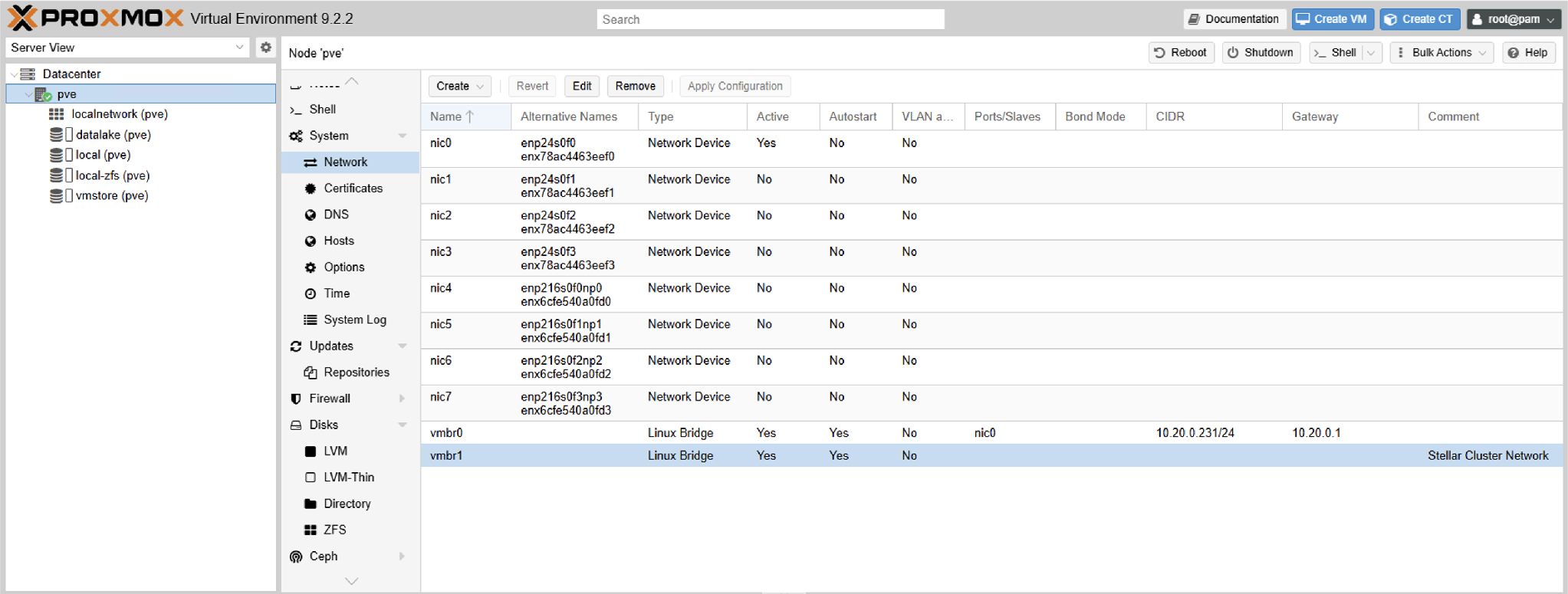
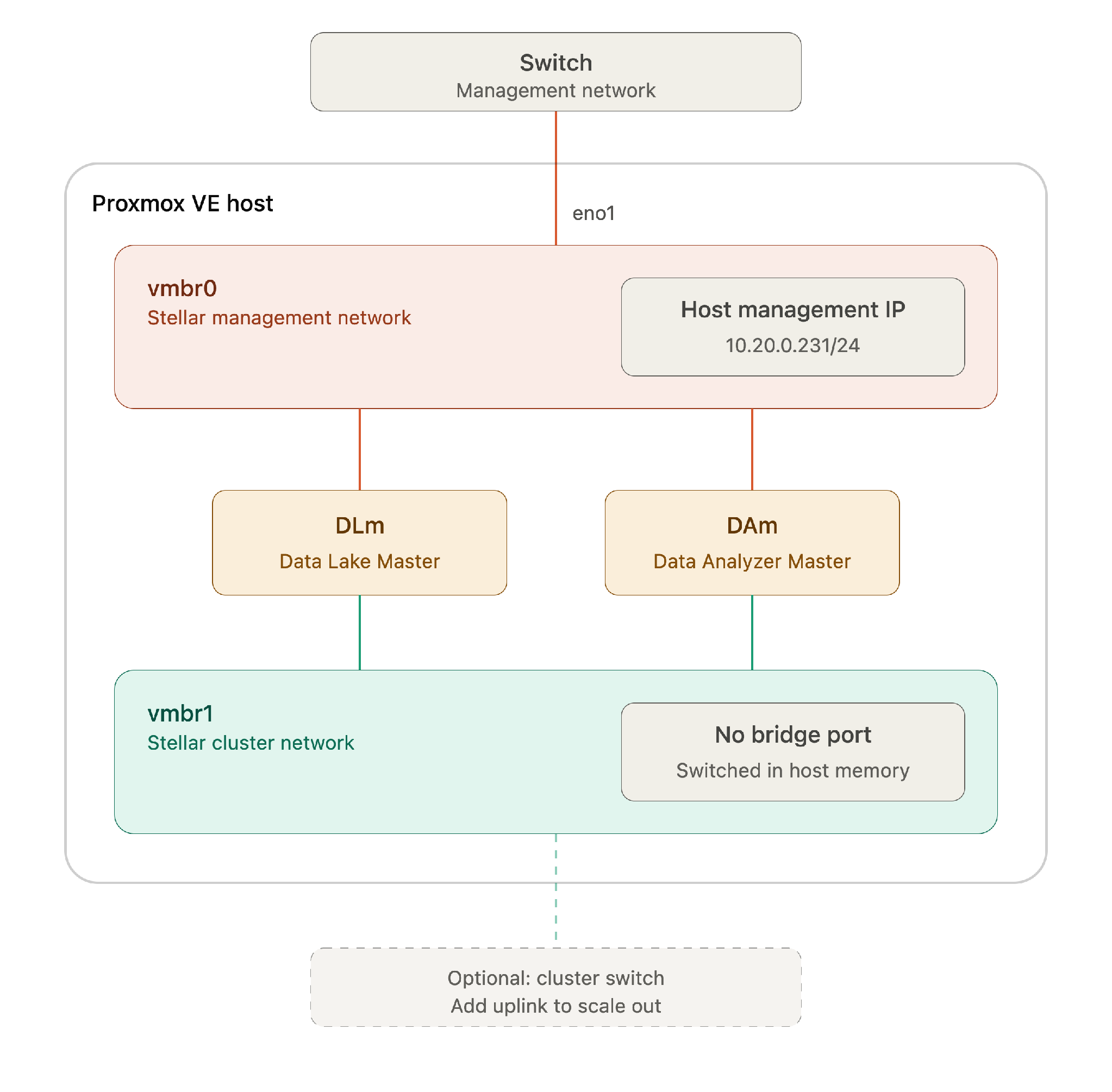
In a cluster deployment, Stellar Cyber's inter-node cluster traffic is separated from management traffic. In Proxmox this is achieved with two Linux bridges:
- vmbr0 — Stellar Management Network. Bridged to the physical management NIC. Carries the Proxmox host management IP and each VM's management interface.
- vmbr1 — Stellar Cluster Network. Carries DLm ↔ DAm cluster traffic.
Single-host cluster networks require no physical uplink. When all cluster nodes reside on one Proxmox host, DLm ↔ DAm cluster traffic is switched entirely in host memory by the Linux bridge. vmbr1 is therefore created without a physical port, which also removes any cabling dependency at initial deployment.
Scaling out later: when additional DP worker nodes are deployed on other hosts, attach a physical uplink (for example, a 10 GbE port) to vmbr1 on each host and connect them to a dedicated cluster switch or VLAN. No guest reconfiguration is required — the bridge gains external reachability transparently.
Create the Cluster Network Bridge
vmbr0 already exists — the Proxmox installer creates it on the management NIC. Only vmbr1 needs to be created.
Create the bridge and apply the configuration:
pvesh create /nodes/$(hostname)/network --iface vmbr1 --type bridge --autostart 1 --comments "Stellar Cluster Network"

pvesh set /nodes/$(hostname)/network
pvesh create stages the new bridge; pvesh set applies the pending configuration and is the API equivalent of Apply Configuration in the web interface.
Omitting --bridge_ports is what makes this an internal-only bridge. The bridge itself needs no IP address — the host does not participate in the cluster network. If the API rejects the omitted parameter, pass --bridge_ports '' explicitly.

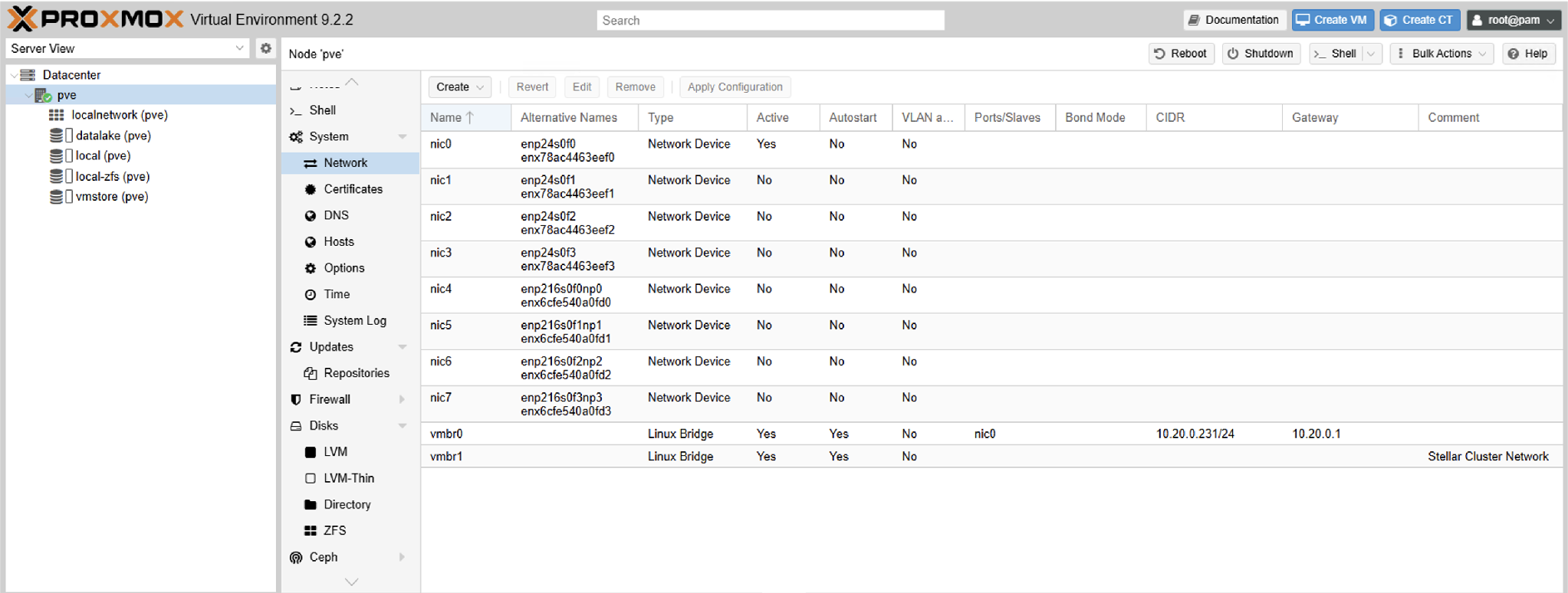
Verify the resulting configuration and that the bridge is up:
cat /etc/network/interfaces
ip -br link show vmbr1
root@pve:/# cat /etc/network/interfaces
# network interface settings; autogenerated
# Please do NOT modify this file directly, unless you know what
# you're doing.
#
# If you want to manage parts of the network configuration manually,
# please utilize the 'source' or 'source-directory' directives to do
# so.
# PVE will preserve these directives, but will NOT read its network
# configuration from sourced files, so do not attempt to move any of
# the PVE managed interfaces into external files!

auto lo
iface lo inet loopback

iface nic0 inet manual
iface nic1 inet manual

auto vmbr0
iface vmbr0 inet static
        address 10.20.0.231/24
        gateway 10.20.0.1
        bridge-ports nic0
        bridge-stp off
        bridge-fd 0

auto vmbr1
iface vmbr1 inet manual
        bridge-ports none
        bridge-stp off
        bridge-fd 0
#Stellar Cluster Network

source /etc/network/interfaces.d/*
root@pve:/#

root@pve:/# ip -br link show vmbr1
vmbr1            UNKNOWN        ca:2a:09:f3:e6:8d <BROADCAST,MULTICAST,UP,LOWER_UP>
root@pve:/#
The generated stanza should read:
auto vmbr1
iface vmbr1 inet manual
        bridge-ports none
        bridge-stp off
        bridge-fd 0
#Stellar Cluster Network
The same result can be achieved by appending the stanza above to /etc/network/interfaces directly and running ifreload -a. The pvesh method is preferred: it validates the configuration before applying it, and /etc/network/interfaces also contains the vmbr0 definition that carries the host's management IP — an error in that file can make the host unreachable.