Checking the Default Receiver Configuration and Sensor Profile
This is part of Installing a Data Processor in Proxmox VE (Cluster).
Stellar Cyber automatically configures a default receiver as the destination for data collected by Photon sensors and other data sources.
In a cluster deployment, the default receiver must be corrected. The receiver is created automatically during Data Lake Master setup. At this point, the Data Analyzer Master does not yet exist, so it is populated with the DL-Master's IP address. Data must be sent to the DA-Master. Changing this is a required step, not a verification. A newly built cluster will always show the DL-Master's address here.
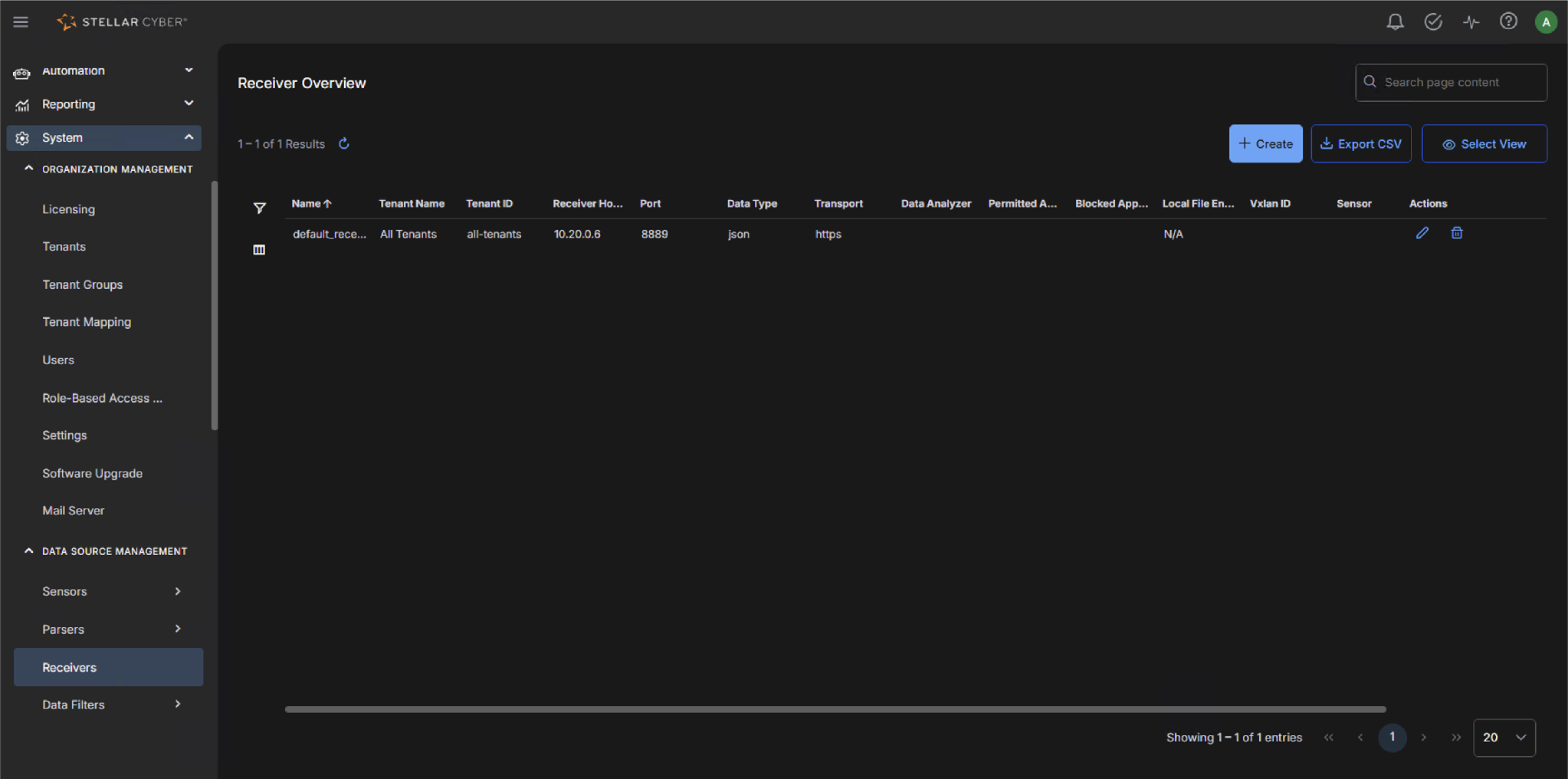
To correct the default receiver:
- Navigate to System | DATA SOURCE MANAGEMENT | Receivers.
- Locate
default_receiver. On a new cluster its Receiver Hostname shows the DLm's IP address (10.20.0.6 in this example). - Click the edit (pencil) icon in the Actions column.
-
Change Receiver Hostname to the DAm's IP address or hostname (10.20.0.7 in this example).
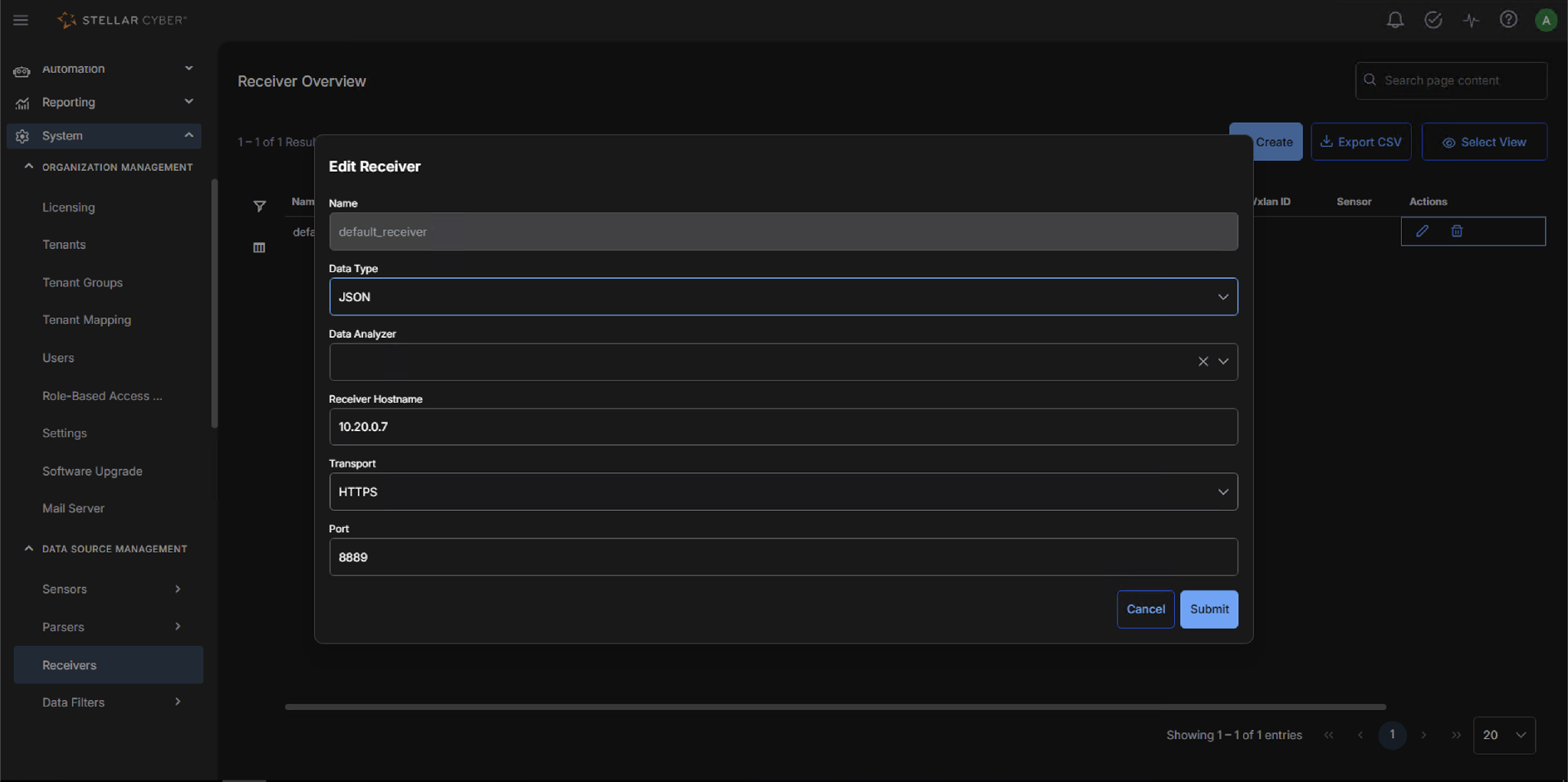
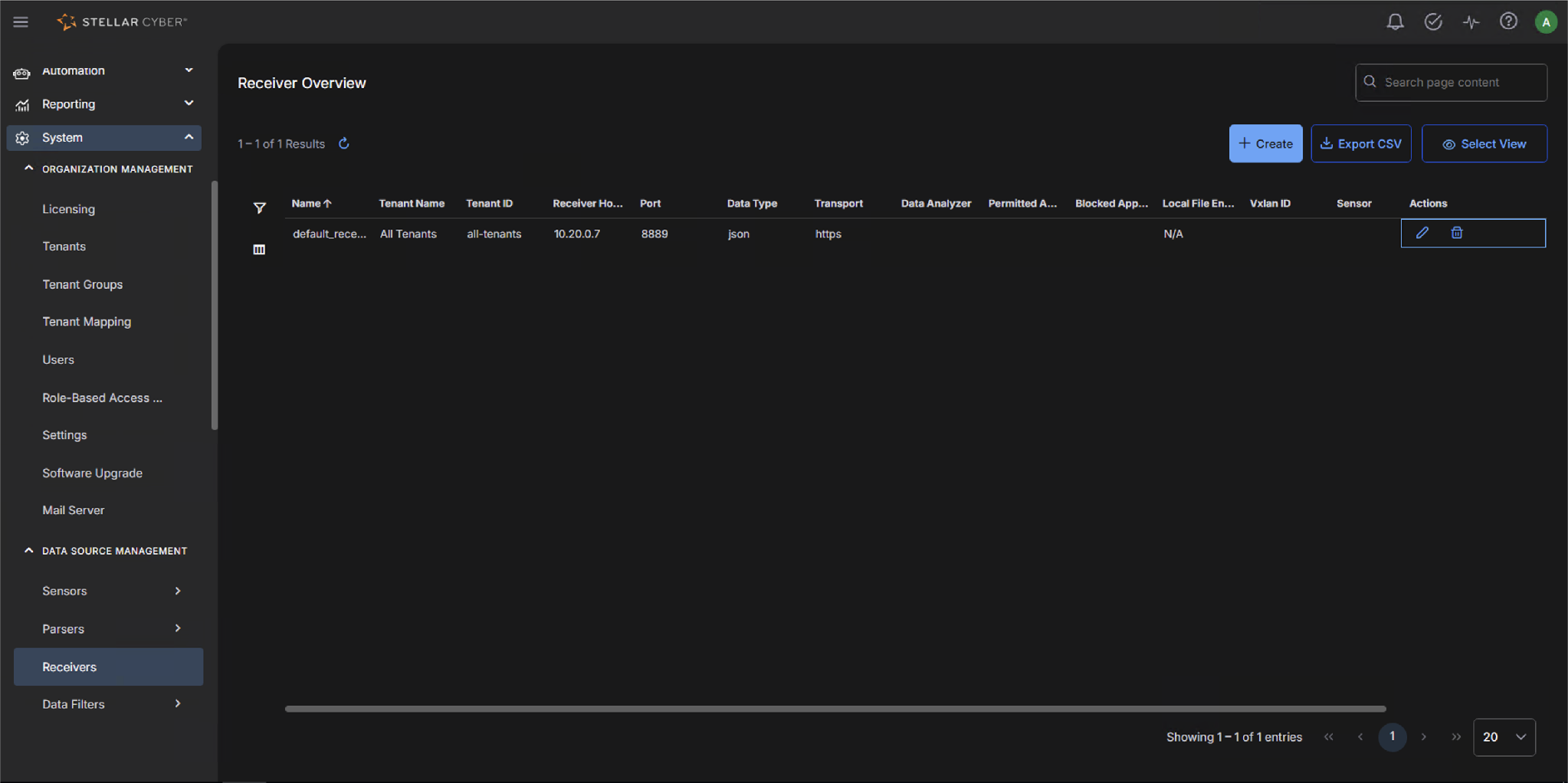
- Save the change and confirm the Receiver Hostname column now shows the DAm.
Then check your Sensor Profile settings and make sure at least one sensor profile points to the receiver you just corrected.
If the show logforwarder command reports no output, receiver settings are the likely cause. Confirm the Receiver Hostname is set to the DA-Master's IP or hostname for cluster deployments, or the DP's own IP or hostname for all-in-one deployments.
Next, see Post-Installation Notes.
