Installing Proxmox VE and Configuring Storage
This is part of Installing a Data Processor in Proxmox VE (Cluster).
Install Proxmox VE
Refer to the Proxmox VE Installation documentation for detailed instructions. The following configuration was used for this deployment:
- Proxmox VE installed on two 480 GB SSDs in a ZFS RAID1 mirror (rpool) — boot and OS only, no VM storage.
- Management interface on the first 1 GbE NIC, configured with a static IP.
Confirm the installation before proceeding:
pveversion
zpool status rpool
ip -br a
Example output:
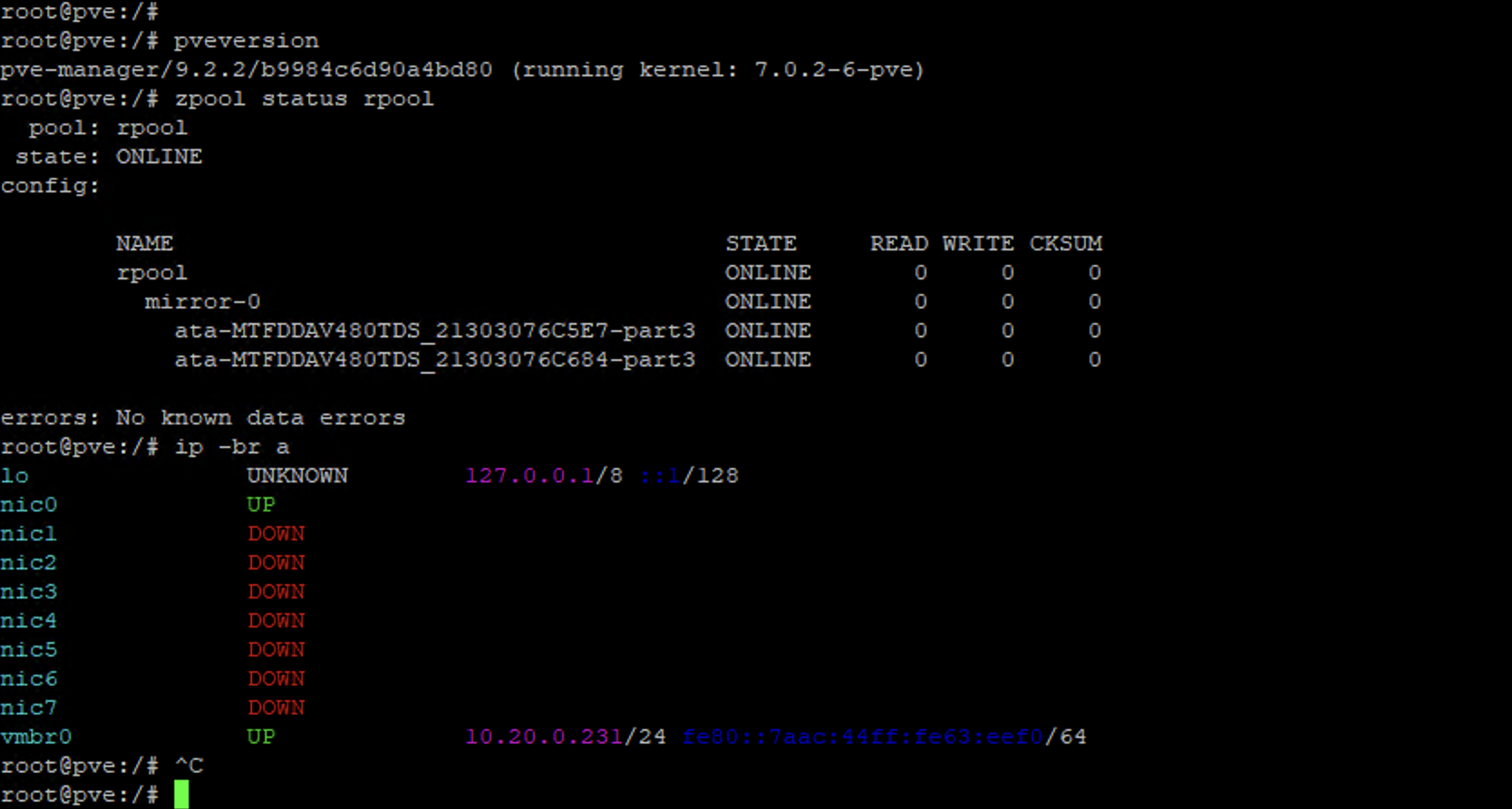
root@pve:/# pveversion
pve-manager/9.2.2/b9984c6d90a4bd80 (running kernel: 7.0.2-6-pve)
root@pve:/# zpool status rpool
  pool: rpool
 state: ONLINE
config:
        NAME                                    STATE     READ WRITE CKSUM
        rpool                                   ONLINE       0     0     0
          mirror-0                              ONLINE       0     0     0
            ata-MTFDDAV480TDS_21303076C5E7-part3 ONLINE     0     0     0
            ata-MTFDDAV480TDS_21303076C684-part3 ONLINE     0     0     0
errors: No known data errors
root@pve:/# ip -br a
lo               UNKNOWN        127.0.0.1/8 ::1/128
vmbr0            UP             10.20.0.231/24 fe80::7aac:44ff:fe63:eef0/64
root@pve:/#
Configure Storage
Stellar Cyber recommends one storage target with sufficient capacity for the VM system disks and a second, dedicated storage target for the Data Lake's Elasticsearch data. Separating the two ensures that Elasticsearch data growth can never consume the space needed by the VM system disks, and confines a data-disk failure to the data pool — the DL and DA virtual machines remain bootable and recoverable.
This deployment uses three ZFS pools:
|
Pool |
Devices |
Layout |
Purpose |
|---|---|---|---|
|
rpool |
2 × 480 GB SSD |
RAID1 mirror |
Proxmox VE OS (created by installer) |
|
vmstore |
1 × 1.92 TB SSD |
Single disk |
DL and DA VM system disks |
|
datalake |
7 × 1.92 TB SSD |
Stripe |
Data Lake Elasticsearch data |
A striped pool provides maximum capacity and throughput with no redundancy, matching Stellar Cyber's standard capacity-first Data Lake storage model. A failure of any disk in this pool destroys the Elasticsearch data but does not affect the VM system disks on vmstore — the DL and DA virtual machines remain bootable, and recovery consists of rebuilding the pool and re-adding the data disk.
Identify the Disks
Always reference disks by their /dev/disk/by-id/ path rather than /dev/sdX. Kernel device letters are assigned in discovery order and can change between reboots; the by-id path is tied to the disk's model and serial number and is stable.
ls -l /dev/disk/by-id/ | grep -v part
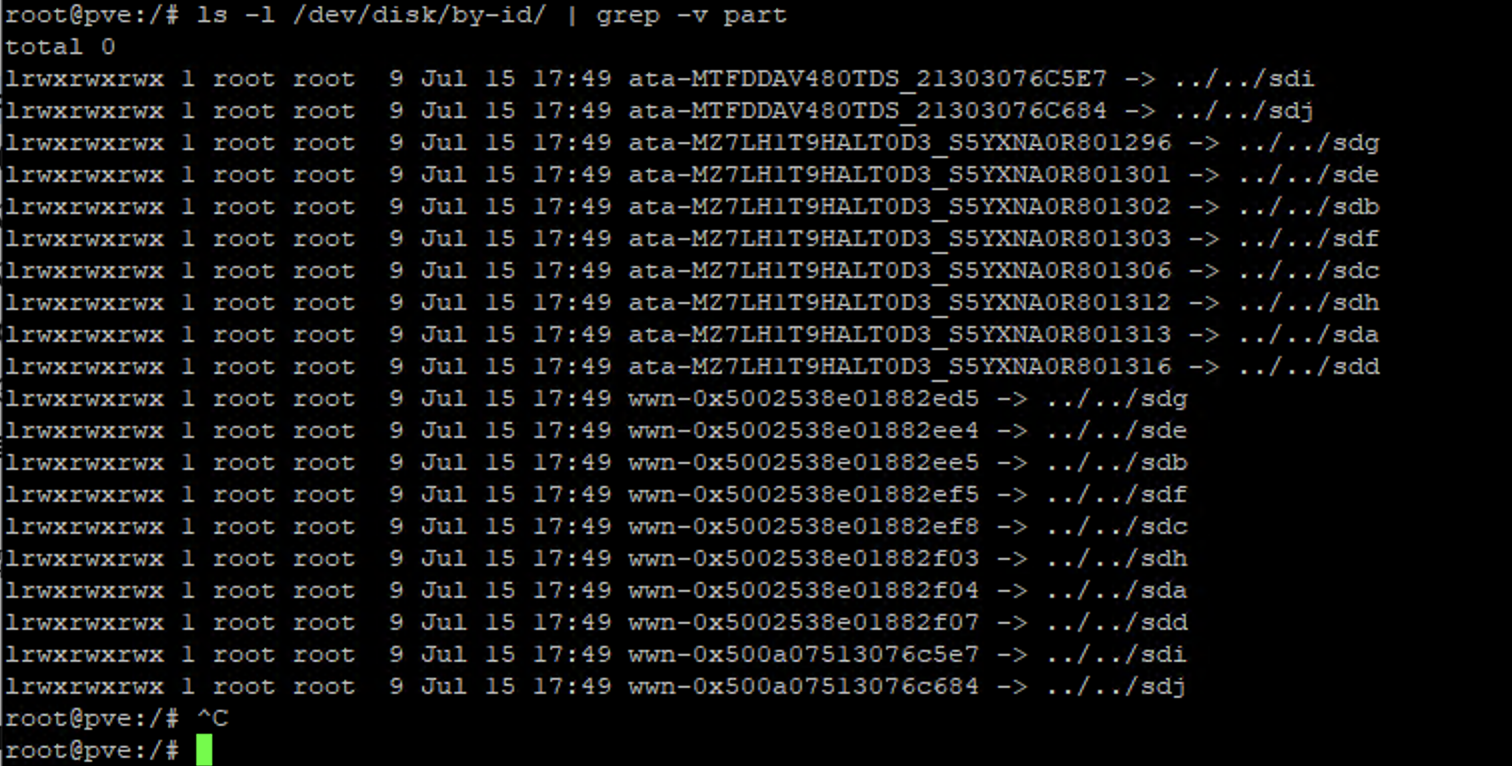
Record the eight data disk IDs. Exclude the two disks used by rpool.
root@pve:/# ls -l /dev/disk/by-id/ | grep -v part
total 0
lrwxrwxrwx 1 root root 9 Jul 15 17:49 ata-MTFDDAV480TDS_21303076C5E7 -> ../../sdi
lrwxrwxrwx 1 root root 9 Jul 15 17:49 ata-MTFDDAV480TDS_21303076C684 -> ../../sdj
lrwxrwxrwx 1 root root 9 Jul 15 17:49 ata-MZ7LH1T9HALT0D3_S5YXNA0R801296 -> ../../sdg
lrwxrwxrwx 1 root root 9 Jul 15 17:49 ata-MZ7LH1T9HALT0D3_S5YXNA0R801301 -> ../../sde
lrwxrwxrwx 1 root root 9 Jul 15 17:49 ata-MZ7LH1T9HALT0D3_S5YXNA0R801302 -> ../../sdb
lrwxrwxrwx 1 root root 9 Jul 15 17:49 ata-MZ7LH1T9HALT0D3_S5YXNA0R801303 -> ../../sdf
lrwxrwxrwx 1 root root 9 Jul 15 17:49 ata-MZ7LH1T9HALT0D3_S5YXNA0R801306 -> ../../sdc
lrwxrwxrwx 1 root root 9 Jul 15 17:49 ata-MZ7LH1T9HALT0D3_S5YXNA0R801312 -> ../../sdh
lrwxrwxrwx 1 root root 9 Jul 15 17:49 ata-MZ7LH1T9HALT0D3_S5YXNA0R801313 -> ../../sda
lrwxrwxrwx 1 root root 9 Jul 15 17:49 ata-MZ7LH1T9HALT0D3_S5YXNA0R801316 -> ../../sdd
root@pve:/#
Prepare the Disks
Disks that previously belonged to another system carry partition tables or filesystem signatures that prevent pool creation. Clear each of the eight data disks.
This is irreversible and there is no undo. Before running these commands, confirm each by-id name is one of your eight data disks and is not one of the two rpool disks identified above. In this example, rpool uses the two MTFDDAV480TDS disks; the eight MZ7LH1T9HALT0D3 disks are the data disks.
Run the following three commands against each data disk. Substitute your own by-id names:
wipefs -a /dev/disk/by-id/ata-MZ7LH1T9HALT0D3_S5YXNA0R801313
sgdisk --zap-all /dev/disk/by-id/ata-MZ7LH1T9HALT0D3_S5YXNA0R801313
blkdiscard -f /dev/disk/by-id/ata-MZ7LH1T9HALT0D3_S5YXNA0R801313

wipefs -a /dev/disk/by-id/ata-MZ7LH1T9HALT0D3_S5YXNA0R801296
sgdisk --zap-all /dev/disk/by-id/ata-MZ7LH1T9HALT0D3_S5YXNA0R801296
blkdiscard -f /dev/disk/by-id/ata-MZ7LH1T9HALT0D3_S5YXNA0R801296

wipefs -a /dev/disk/by-id/ata-MZ7LH1T9HALT0D3_S5YXNA0R801301
sgdisk --zap-all /dev/disk/by-id/ata-MZ7LH1T9HALT0D3_S5YXNA0R801301
blkdiscard -f /dev/disk/by-id/ata-MZ7LH1T9HALT0D3_S5YXNA0R801301

wipefs -a /dev/disk/by-id/ata-MZ7LH1T9HALT0D3_S5YXNA0R801302
sgdisk --zap-all /dev/disk/by-id/ata-MZ7LH1T9HALT0D3_S5YXNA0R801302
blkdiscard -f /dev/disk/by-id/ata-MZ7LH1T9HALT0D3_S5YXNA0R801302

wipefs -a /dev/disk/by-id/ata-MZ7LH1T9HALT0D3_S5YXNA0R801303
sgdisk --zap-all /dev/disk/by-id/ata-MZ7LH1T9HALT0D3_S5YXNA0R801303
blkdiscard -f /dev/disk/by-id/ata-MZ7LH1T9HALT0D3_S5YXNA0R801303

wipefs -a /dev/disk/by-id/ata-MZ7LH1T9HALT0D3_S5YXNA0R801306
sgdisk --zap-all /dev/disk/by-id/ata-MZ7LH1T9HALT0D3_S5YXNA0R801306
blkdiscard -f /dev/disk/by-id/ata-MZ7LH1T9HALT0D3_S5YXNA0R801306

wipefs -a /dev/disk/by-id/ata-MZ7LH1T9HALT0D3_S5YXNA0R801312
sgdisk --zap-all /dev/disk/by-id/ata-MZ7LH1T9HALT0D3_S5YXNA0R801312
blkdiscard -f /dev/disk/by-id/ata-MZ7LH1T9HALT0D3_S5YXNA0R801312

wipefs -a /dev/disk/by-id/ata-MZ7LH1T9HALT0D3_S5YXNA0R801316
sgdisk --zap-all /dev/disk/by-id/ata-MZ7LH1T9HALT0D3_S5YXNA0R801316
blkdiscard -f /dev/disk/by-id/ata-MZ7LH1T9HALT0D3_S5YXNA0R801316
|
Command |
Purpose |
|---|---|
|
|
Removes filesystem and partition-table signatures. This is what allows |
|
|
Destroys both the primary GPT and the backup GPT at the end of the disk. |
|
|
Issues a full TRIM, returning the SSD to a clean state. Recommended on repurposed hardware, but not required for pool creation. |
wipefs may report nothing on a disk that is already clean; sgdisk will still report that GPT data structures were destroyed. Both outcomes are normal.
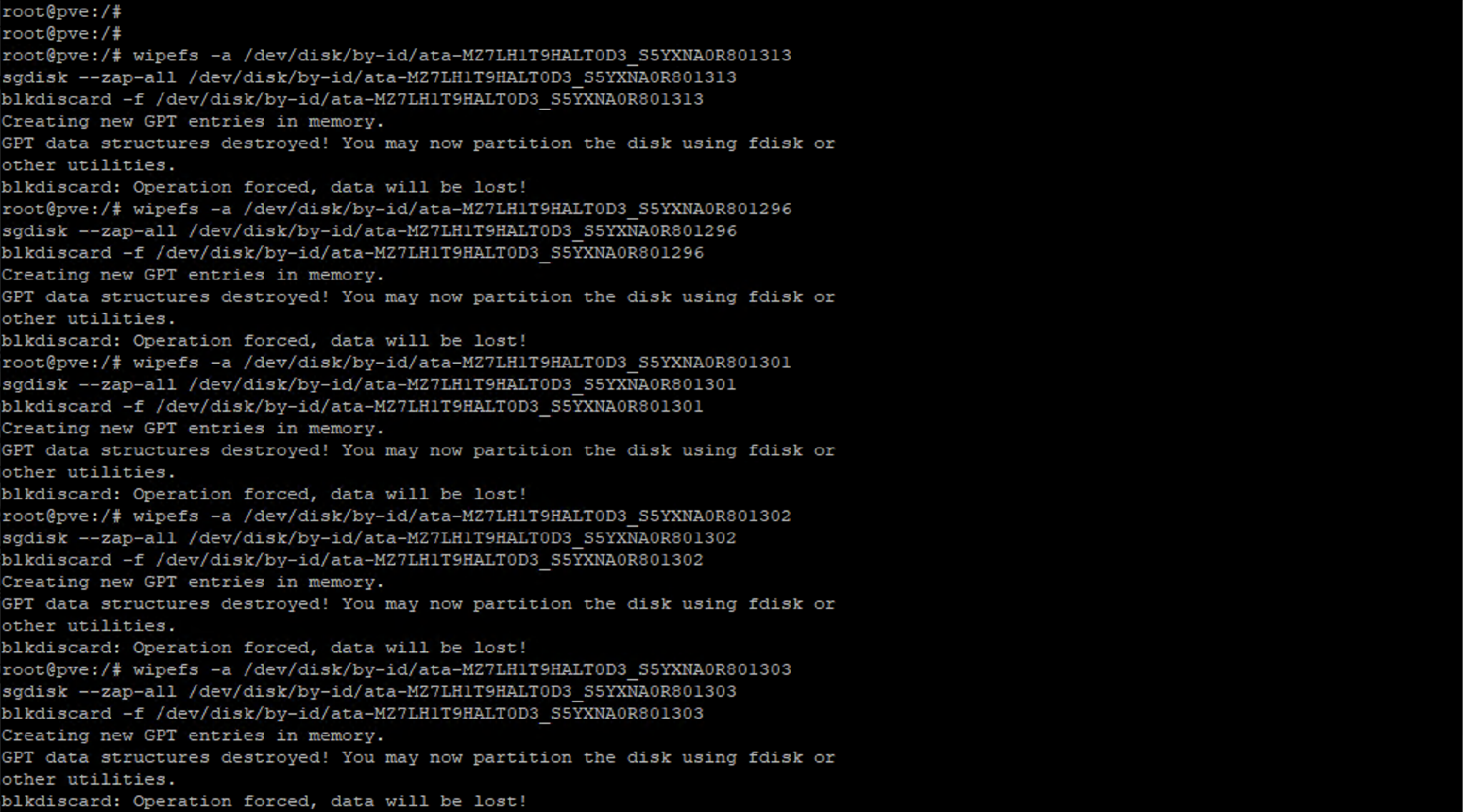
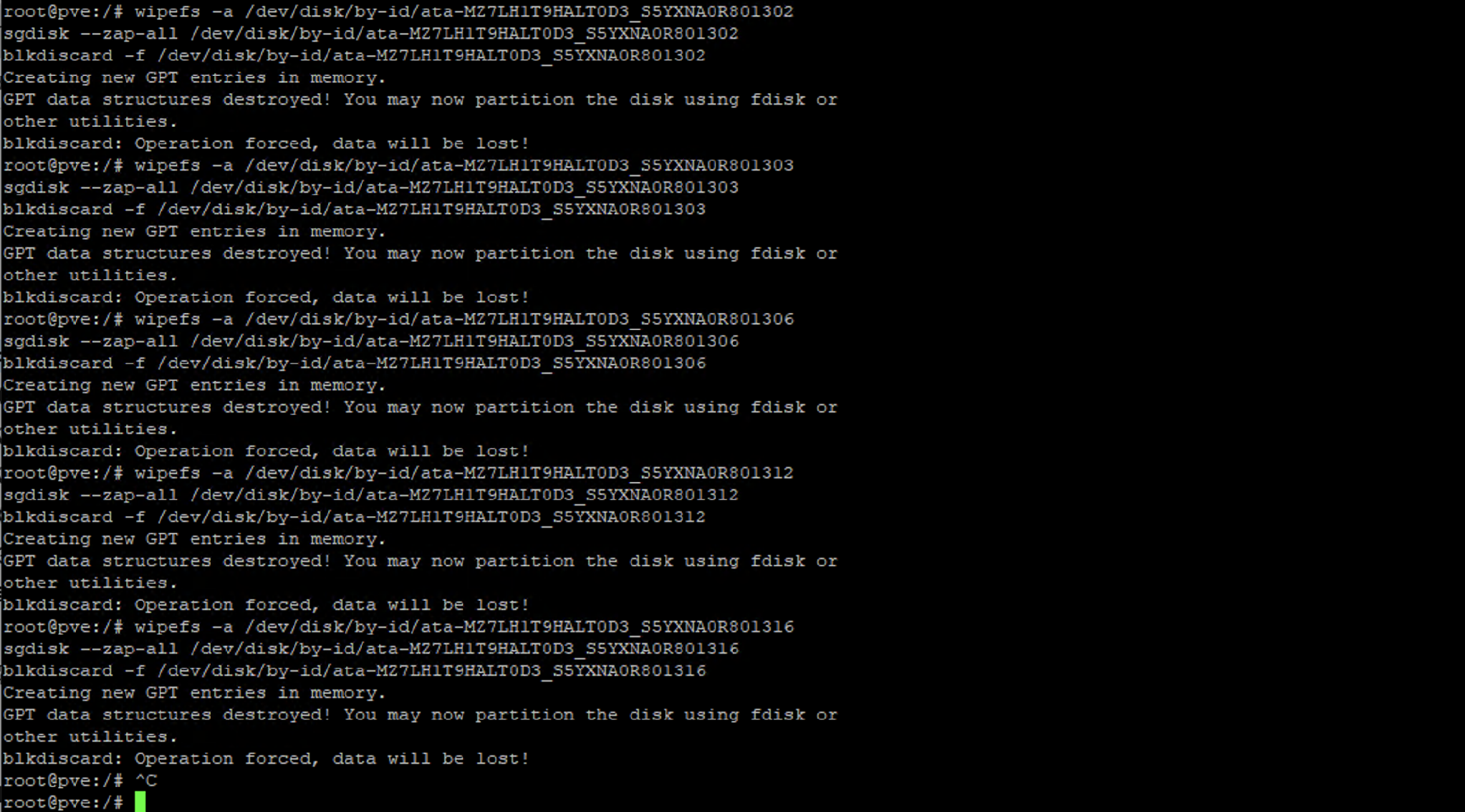
Example output for one disk:
root@pve:/# wipefs -a /dev/disk/by-id/ata-MZ7LH1T9HALT0D3_S5YXNA0R801313
sgdisk --zap-all /dev/disk/by-id/ata-MZ7LH1T9HALT0D3_S5YXNA0R801313
blkdiscard -f /dev/disk/by-id/ata-MZ7LH1T9HALT0D3_S5YXNA0R801313
Creating new GPT entries in memory.
GPT data structures destroyed! You may now partition the disk using fdisk or
other utilities.
blkdiscard: Operation forced, data will be lost!
root@pve:/#
Create the Storage Pools
# VM system disk pool -- one disk
zpool create -o ashift=12 -o autotrim=on -O compression=lz4 -O atime=off vmstore ata-MZ7LH1T9HALT0D3_S5YXNA0R801313

# Data Lake data pool -- striped across the remaining seven disks
zpool create -o ashift=12 -o autotrim=on -O compression=lz4 -O atime=off datalake \
  ata-MZ7LH1T9HALT0D3_S5YXNA0R801296 ata-MZ7LH1T9HALT0D3_S5YXNA0R801301 \
  ata-MZ7LH1T9HALT0D3_S5YXNA0R801302 ata-MZ7LH1T9HALT0D3_S5YXNA0R801303 \
  ata-MZ7LH1T9HALT0D3_S5YXNA0R801306 ata-MZ7LH1T9HALT0D3_S5YXNA0R801312 \
  ata-MZ7LH1T9HALT0D3_S5YXNA0R801316
Listing devices with no mirror or raidz keyword creates a stripe — each disk becomes its own vdev and ZFS stripes data across all of them.
Settings and rationale:
|
Setting |
Value |
Why |
|---|---|---|
|
ashift |
12 |
4K sector alignment, correct for all modern SSDs. |
|
autotrim |
on |
Returns freed blocks to the SSD automatically. |
|
compression |
lz4 |
Early-abort algorithm — negligible CPU cost, never slower on incompressible data. Elasticsearch compresses its own data, so expect a modest ratio (~1.1–1.2×) rather than the higher figures quoted for OS disks. |
|
atime |
off |
Removes a metadata write on every read. |
Pool creation must be performed from the command line. The Proxmox VE web interface does not provide a striped option — its RAID Level dropdown offers only Single Disk, Mirror, RAID10, RAIDZ, RAIDZ2, RAIDZ3, and dRAID variants, and Single Disk accepts exactly one device (selecting more returns please give only one disk for single disk mode).
Register the Pools with Proxmox
pvesm add zfspool vmstore --pool vmstore --content images,rootdir
pvesm add zfspool datalake --pool datalake --content images,rootdir
Omitting --sparse satisfies Stellar Cyber's thick provisioning requirement: zvols created on these storages carry a full reservation and cannot oversubscribe the pool.
Verify
zpool status vmstore datalake
zpool list
pvesm status
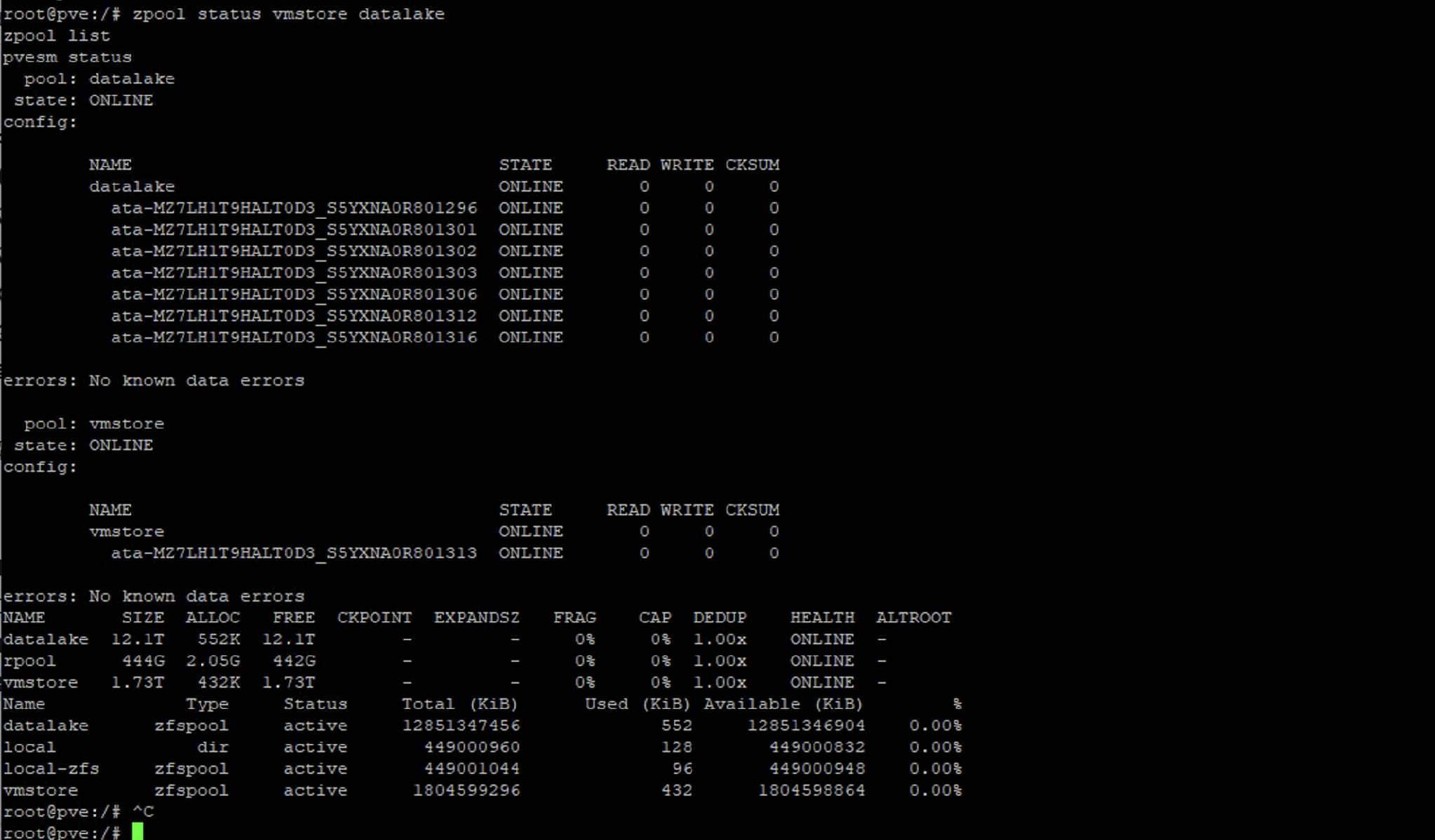
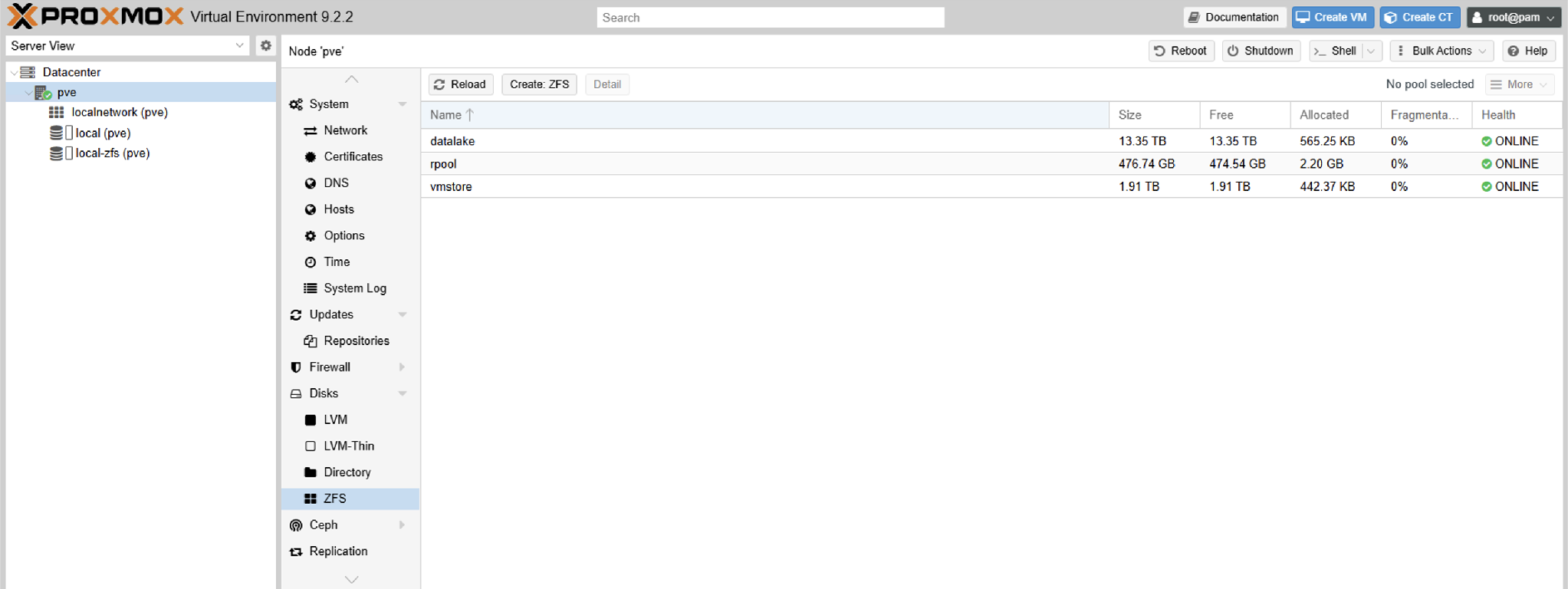
zpool status should list vmstore with one device, and datalake with all seven disks as individual vdevs — each ONLINE, with no mirror-N or raidz-N groupings.
root@pve:/# zpool status vmstore datalake
  pool: datalake
 state: ONLINE
config:
        NAME                                  STATE     READ WRITE CKSUM
        datalake                              ONLINE       0     0     0
          ata-MZ7LH1T9HALT0D3_S5YXNA0R801296  ONLINE       0     0     0
          ata-MZ7LH1T9HALT0D3_S5YXNA0R801301  ONLINE       0     0     0
          ata-MZ7LH1T9HALT0D3_S5YXNA0R801302  ONLINE       0     0     0
          ata-MZ7LH1T9HALT0D3_S5YXNA0R801303  ONLINE       0     0     0
          ata-MZ7LH1T9HALT0D3_S5YXNA0R801306  ONLINE       0     0     0
          ata-MZ7LH1T9HALT0D3_S5YXNA0R801312  ONLINE       0     0     0
          ata-MZ7LH1T9HALT0D3_S5YXNA0R801316  ONLINE       0     0     0
errors: No known data errors
  pool: vmstore
 state: ONLINE
config:
        NAME                                  STATE     READ WRITE CKSUM
        vmstore                               ONLINE       0     0     0
          ata-MZ7LH1T9HALT0D3_S5YXNA0R801313  ONLINE       0     0     0
errors: No known data errors
NAME       SIZE  ALLOC   FREE  CKPOINT  EXPANDSZ   FRAG    CAP  DEDUP    HEALTH  ALTROOT
datalake  12.1T   552K  12.1T        -         -     0%     0%  1.00x    ONLINE  -
rpool      444G  2.05G   442G        -         -     0%     0%  1.00x    ONLINE  -
vmstore   1.73T   432K  1.73T        -         -     0%     0%  1.00x    ONLINE  -
Name       Type       Status    Total (KiB)   Used (KiB)  Available (KiB)   %
datalake   zfspool    active    12851347456          552      12851346904  0.00%
local      dir        active      449000960          128        449000832  0.00%
local-zfs  zfspool    active      449001044           96        449000948  0.00%
vmstore    zfspool    active     1804599296          432       1804598864  0.00%
root@pve:/#