Introduction to DP Installation in Azure
You can install the Stellar Cyber data processor in Azure using several different models depending on the ingestion rates, storage capacity, and data retention you want to achieve, as summarized in Minimum System Requirements.
-
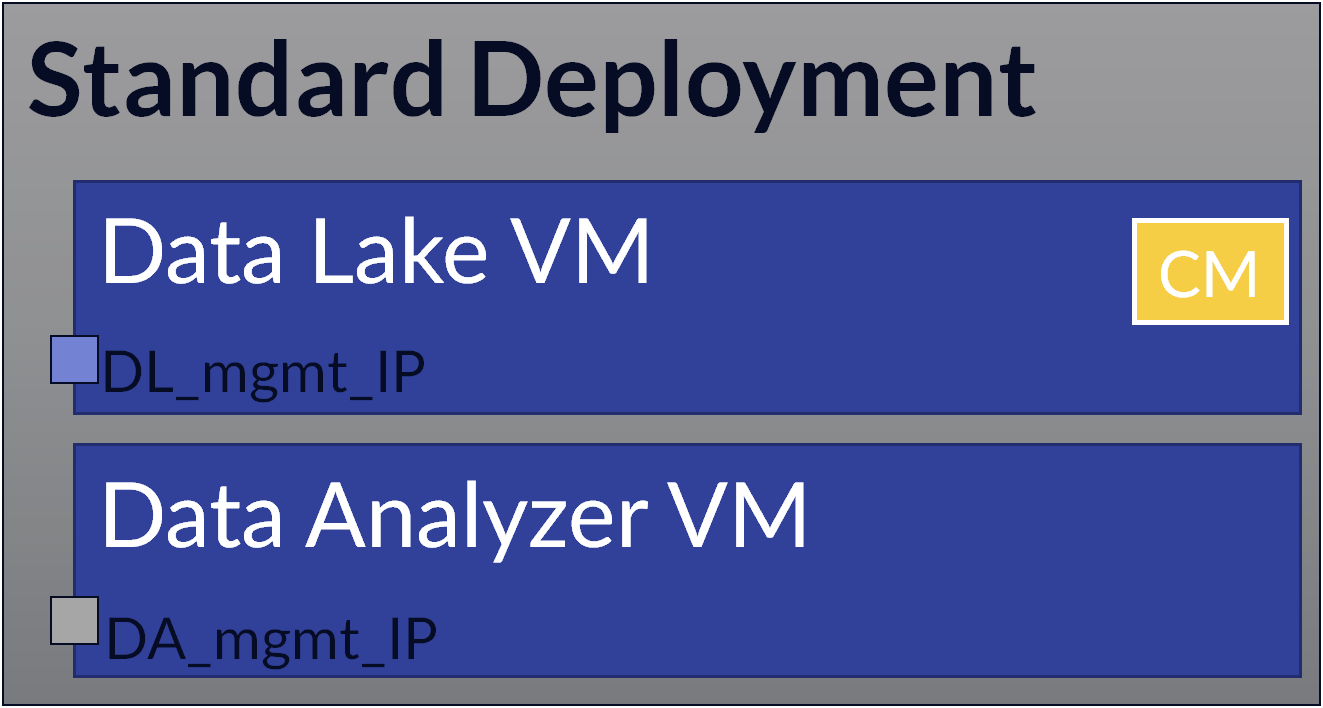
Standard – Standard deployments use one virtual machine for the Data Lake and another for the Data Analyzer and are supported for up to 250 GB of daily data ingestion (300 GB without multi-tenancy). This model also provides optional cluster support for deployment of additional DL and DA worker nodes as your needs increase.
-
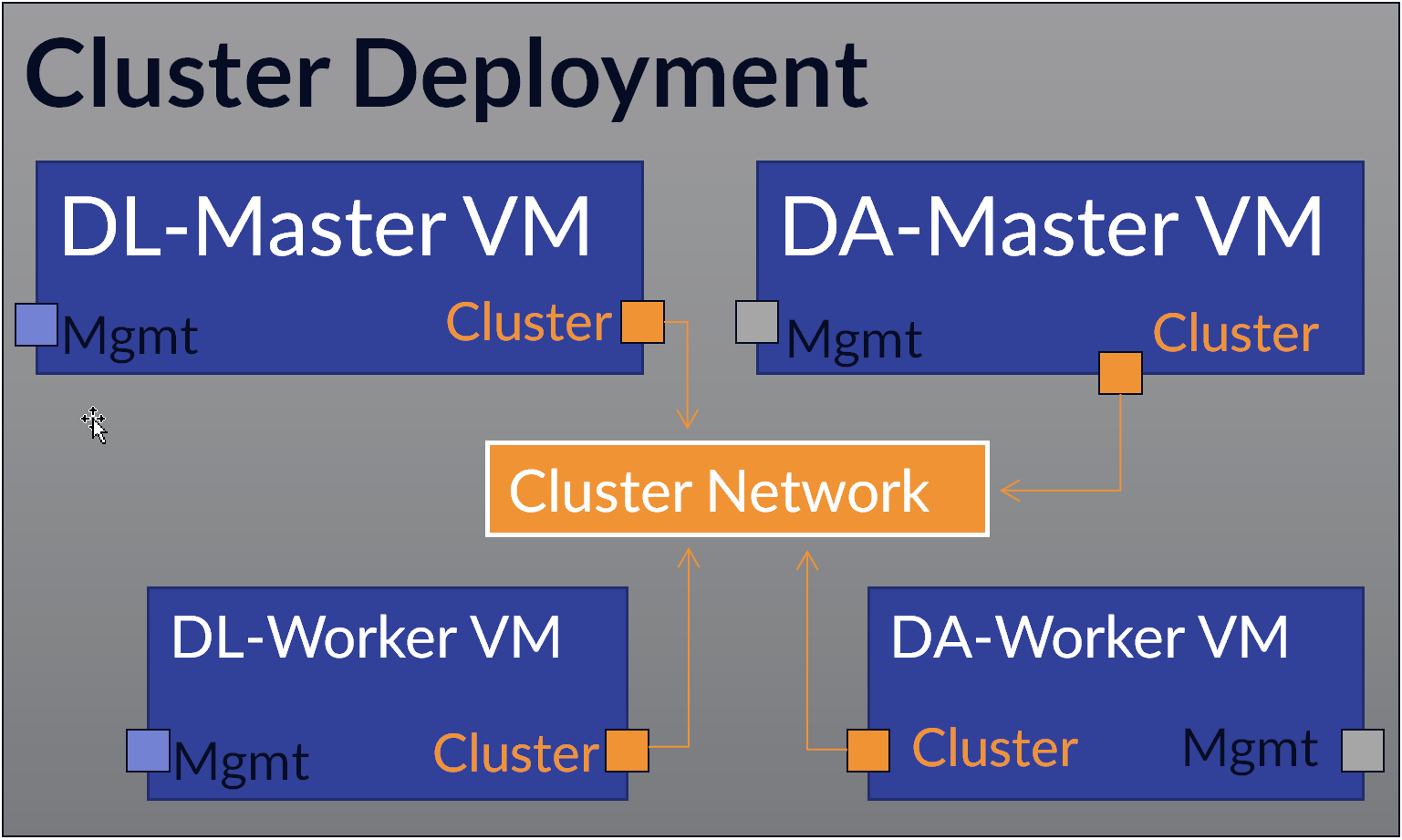
Cluster – Cluster deployments scale up performance by adding additional DL-Worker and DA-Worker nodes to share the workload. Worker nodes communicate with the cluster using a dedicated cluster network. The table in Minimum System Requirements provides the counts of DA and DL nodes you need to deploy for different ingestion capacities.
As part of scaling up your cluster, you also want to consider moving to the recommended deployment model with full data replication and warm standby VMs for both the DL-master and the DA-master.
-
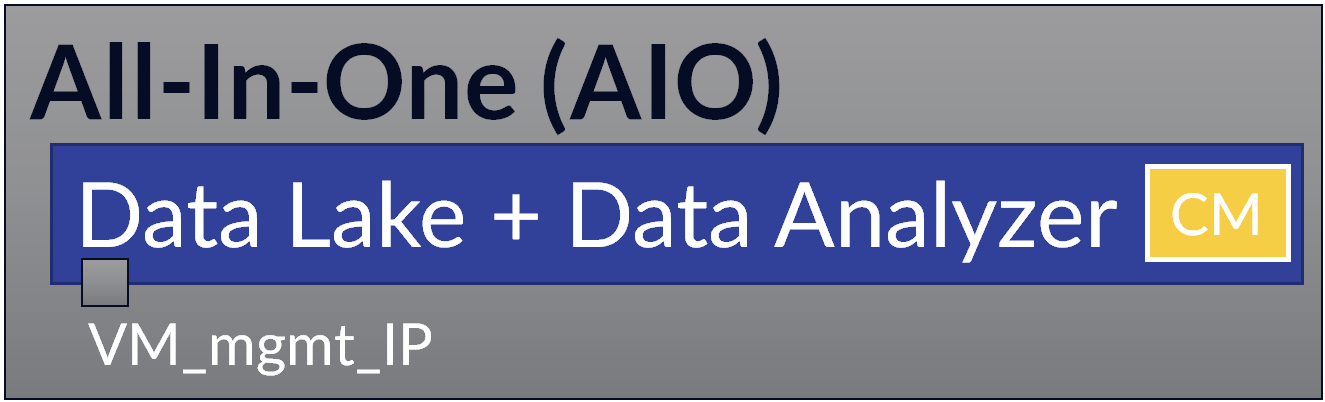
All-In-One (AIO) – AIO deployments use a single VM to host both the DL and the DA. This model only supports daily ingestion up to 50 GB and is not recommended for most use cases because it does not does not provide the efficiency and scalability of installing components on separate VMs. Stellar Cyber recommends either the standard or cluster model.
Same Image for all DP VMs
You use the same image to install DP compoments, regardless of the deployment type. Once the image is deployed, you use the CLI and GUI to change the role of each VM to match the deployment type (for example, a DL-Master, a DL-Worker, and so on).
Installation Uses a Script
Unlike the other public clouds, you do not create Stellar Cyber VMs in Azure by stepping through a console wizard. Instead, you customize the Azure Installation Script with values that match your Azure subscription and networking environment, and then run it in the Azure Cloud Shell. You run the same script once for each VM in the deployment.
You must be signed in to Azure as an Owner to complete this procedure. This procedure assigns the Contributor role to the Stellar Cyber application, and assigning a role requires Owner privileges. A user signed in with only the Contributor role cannot complete the role assignment.
The $vnetName, $subnetName, and $nsg_name values must already exist and be accessible to the Azure identity running the installation script. They do not have to reside in the same resource group as the VM, but if they do not, a role assignment scoped only to that resource group is not sufficient — the assignment must cover the scope that contains the network resources, which is typically the subscription.
If the identity cannot access the specified virtual network, the deployment does not fail. Azure creates a new virtual network and subnet using the names you supplied, and the resulting VM has no route to your existing network.
