Creating the Virtual Machines
This is part of Installing a Data Processor in Proxmox VE (Cluster).
The same QCOW2 image is used to create both VMs. Roles are assigned later.
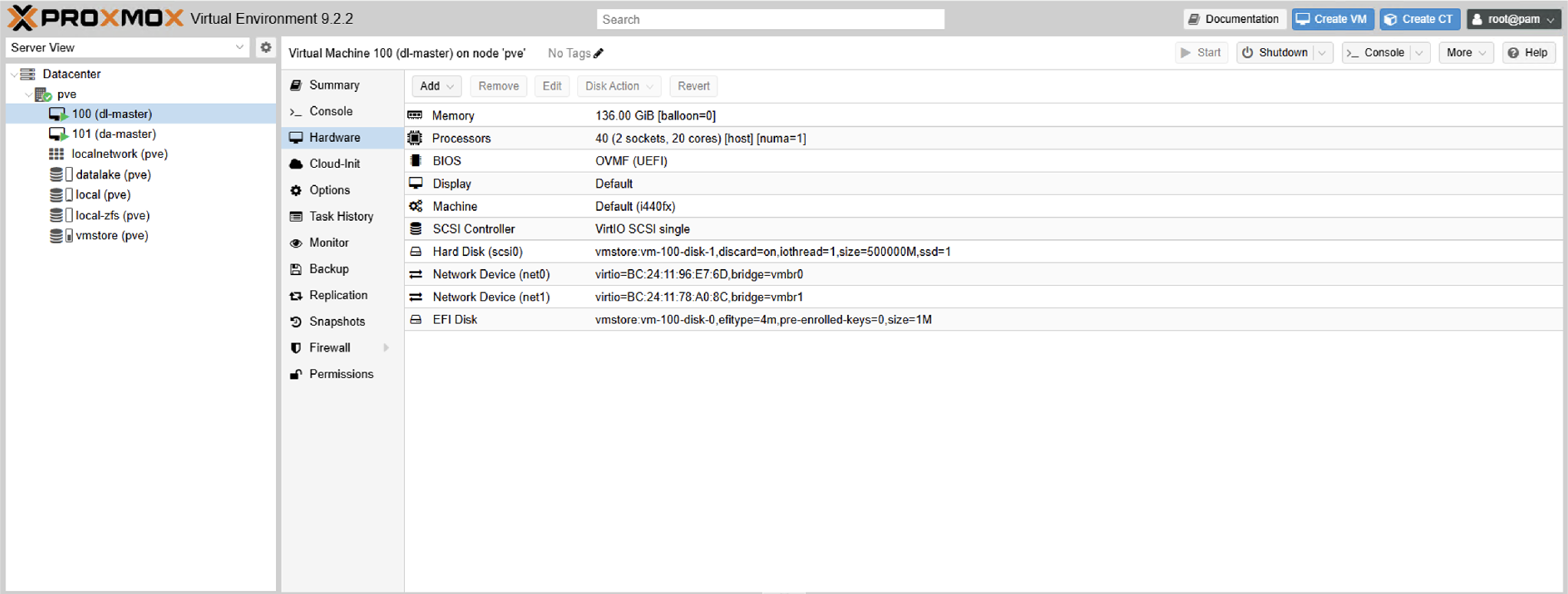
- dl-master (VM ID 100) — Data Lake Master
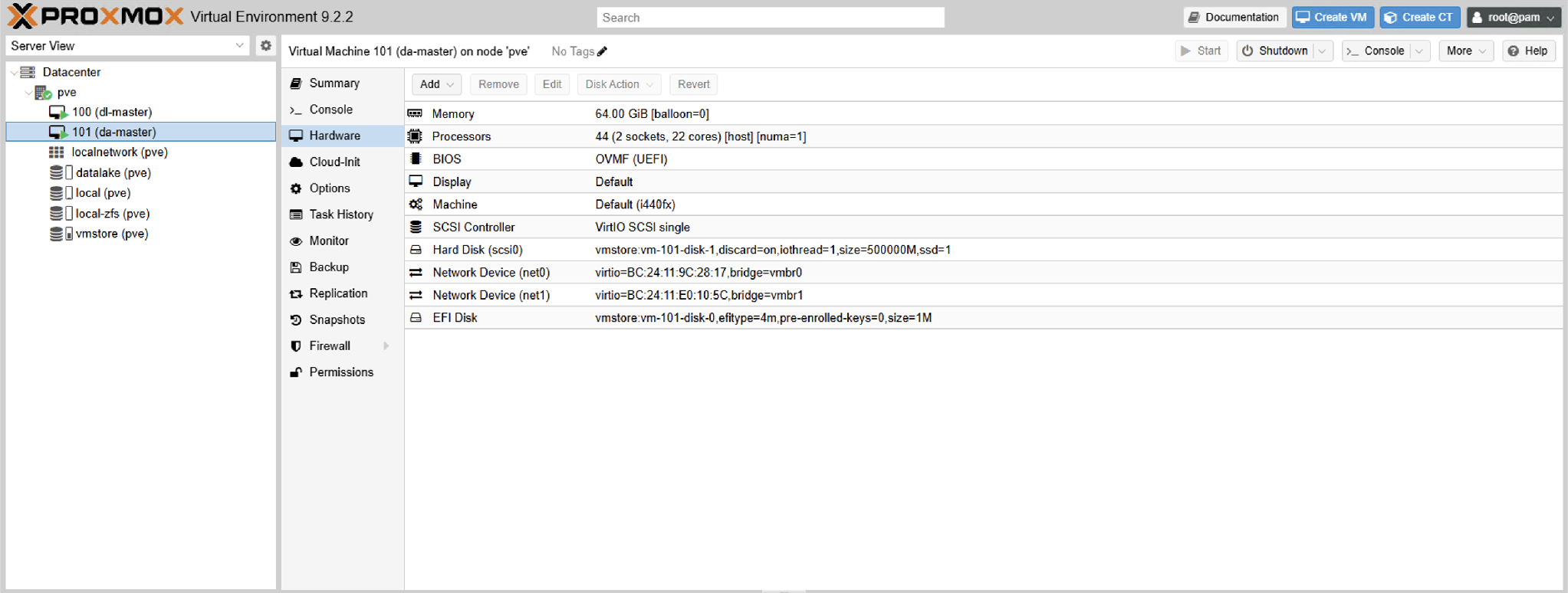
- da-master (VM ID 101) — Data Analyzer Master
Download and Verify the Image
cd /var/lib/vz/import

curl -k -u <login>:<password> -O https://acps.stellarcyber.ai/release/6.6.0/dataprocessor/aella-dataprocessor-ubuntu2404-6.6.0.qcow2
root@pve:/var/lib/vz/import# curl -k -u AellaMeta:<password> -O https://acps.stellarcyber.ai/release/6.6.0/dataprocessor/aella-dataprocessor-ubuntu2404-6.6.0.qcow2
  % Total    % Received % Xferd  Average Speed   Time    Time     Time  Current
                                 Dload  Upload   Total   Spent    Left  Speed
100 3484M  100 3484M    0     0   101M      0  0:00:34  0:00:34 --:--:--  99.0M
root@pve:/var/lib/vz/import# file aella-dataprocessor-ubuntu2404-6.6.0.qcow2
aella-dataprocessor-ubuntu2404-6.6.0.qcow2: QEMU QCOW Image (v2), 524288000000 bytes (v2), 524288000000 bytes
root@pve:/var/lib/vz/import#
Firmware: UEFI (OVMF) is required. The Ubuntu 24.04 Data Processor image is a UEFI image and has no legacy BIOS boot block. A VM created with the default SeaBIOS firmware displays "Booting from Hard Disk..." and then hangs, because the firmware cannot locate a boot loader. Both VMs are therefore created with the OVMF (UEFI) firmware and given a small EFI disk. The pre-enrolled-keys=0 option disables Secure Boot enforcement, which the appliance image does not support.
The file command must report a QEMU QCOW2 image. The image is approximately 1.35 GB compressed and expands to a 488.3 GiB virtual disk, which already matches Stellar Cyber's 500 GB system disk requirement — no resize is needed after import.
Use the Q35 chipset for every DP VM. Both VMs are created with --machine q35. Proxmox VE otherwise defaults to the legacy i440fx chipset, which presents network interfaces under different names — a Q35 VM presents enp6s19 where an i440fx VM presents ens19. If DP VMs in the same deployment are built with different chipsets, the mismatched cluster interface names break the Kubernetes cluster when the DL and DA nodes are joined. Apply --machine q35 consistently to every DP VM, including any VMs hosted on additional Proxmox servers.
Create the Data Lake Master VM
qm create 100 --name dl-master --ostype l26 --bios ovmf --machine q35 --sockets 2 --cores 20 --cpu host --numa 1 --memory 139264 --balloon 0 --scsihw virtio-scsi-single --net0 virtio,bridge=vmbr0 --net1 virtio,bridge=vmbr1 --serial0 socket --onboot 1 --startup order=1,up=180

qm set 100 --efidisk0 vmstore:0,efitype=4m,pre-enrolled-keys=0

qm importdisk 100 aella-dataprocessor-ubuntu2404-6.6.0.qcow2 vmstore

qm set 100 --scsi0 vmstore:vm-100-disk-1,discard=on,ssd=1,iothread=1

qm set 100 --boot order=scsi0
root@pve:/var/lib/vz/import# qm create 100 --name dl-master --ostype l26 --bios ovmf --machine q35 --sockets 2 --cores 20 --cpu host --numa 1 --memory 139264 --balloon 0 --scsihw virtio-scsi-single --net0 virtio,bridge=vmbr0 --net1 virtio,bridge=vmbr1 --serial0 socket --onboot 1 --startup order=1,up=180
root@pve:/var/lib/vz/import# qm set 100 --efidisk0 vmstore:0,efitype=4m,pre-enrolled-keys=0
update VM 100: -efidisk0 vmstore:0,efitype=4m,pre-enrolled-keys=0
efidisk0: successfully created disk 'vmstore:vm-100-disk-0,efitype=4m,pre-enrolled-keys=0,size=1M'
root@pve:/var/lib/vz/import# qm importdisk 100 aella-dataprocessor-ubuntu2404-6.6.0.qcow2 vmstore
importing disk 'aella-dataprocessor-ubuntu2404-6.6.0.qcow2' to VM 100 ...
transferred 488.3 GiB of 488.3 GiB (100.00%)
unused0: successfully imported disk 'vmstore:vm-100-disk-1'
root@pve:/var/lib/vz/import# qm set 100 --scsi0 vmstore:vm-100-disk-1,discard=on,ssd=1,iothread=1
update VM 100: -scsi0 vmstore:vm-100-disk-1,discard=on,ssd=1,iothread=1
root@pve:/var/lib/vz/import# qm set 100 --boot order=scsi0
update VM 100: -boot order=scsi0
root@pve:/var/lib/vz/import#
Because the EFI disk is created before the image is imported, qm importdisk lands the data disk as vm-100-disk-1 (for VM 100) and vm-101-disk-1 (for VM 101). Run qm config <vmid> | grep unused after importing to confirm the exact disk name before running the qm set --scsi0 command.
Create the Data Analyzer Master VM
qm create 101 --name da-master --ostype l26 --bios ovmf --machine q35 --sockets 2 --cores 22 --cpu host --numa 1 --memory 65536 --balloon 0 --scsihw virtio-scsi-single --net0 virtio,bridge=vmbr0 --net1 virtio,bridge=vmbr1 --serial0 socket --onboot 1 --startup order=2

qm set 101 --efidisk0 vmstore:0,efitype=4m,pre-enrolled-keys=0

qm importdisk 101 aella-dataprocessor-ubuntu2404-6.6.0.qcow2 vmstore

qm set 101 --scsi0 vmstore:vm-101-disk-1,discard=on,ssd=1,iothread=1

qm set 101 --boot order=scsi0
root@pve:/var/lib/vz/import# qm create 101 --name da-master --ostype l26 --bios ovmf --machine q35 --sockets 2 --cores 22 --cpu host --numa 1 --memory 65536 --balloon 0 --scsihw virtio-scsi-single --net0 virtio,bridge=vmbr0 --net1 virtio,bridge=vmbr1 --serial0 socket --onboot 1 --startup order=2
root@pve:/var/lib/vz/import# qm set 101 --efidisk0 vmstore:0,efitype=4m,pre-enrolled-keys=0
update VM 101: -efidisk0 vmstore:0,efitype=4m,pre-enrolled-keys=0
efidisk0: successfully created disk 'vmstore:vm-101-disk-0,efitype=4m,pre-enrolled-keys=0,size=1M'
root@pve:/var/lib/vz/import# qm importdisk 101 aella-dataprocessor-ubuntu2404-6.6.0.qcow2 vmstore
importing disk 'aella-dataprocessor-ubuntu2404-6.6.0.qcow2' to VM 101 ...
transferred 488.3 GiB of 488.3 GiB (100.00%)
unused0: successfully imported disk 'vmstore:vm-101-disk-1'
root@pve:/var/lib/vz/import# qm set 101 --scsi0 vmstore:vm-101-disk-1,discard=on,ssd=1,iothread=1
update VM 101: -scsi0 vmstore:vm-101-disk-1,discard=on,ssd=1,iothread=1
root@pve:/var/lib/vz/import# qm set 101 --boot order=scsi0
update VM 101: -boot order=scsi0
root@pve:/var/lib/vz/import#
Settings and Rationale
|
Setting |
Value |
Why |
|---|---|---|
|
|
q35 |
Uses the modern Q35 (PCIe) chipset rather than the legacy i440fx chipset used by default. Required for consistent network interface naming across DP VMs. |
|
|
socket |
Adds a serial console to the VM, letting you connect with |
|
|
host |
Exposes the full host CPU feature set to the guest. |
|
|
enabled |
Presents a guest topology matching the two-socket allocation. |
|
|
disabled |
Memory ballooning is incompatible with stable Elasticsearch/JVM behavior. |
|
|
— |
Paravirtualized SCSI with a dedicated controller per disk, enabling IO threads. |
|
|
virtio |
Paravirtualized NICs. net1 becomes the cluster interface. |
|
|
— |
Returns space to the pool when Elasticsearch deletes indices. Required. |
|
|
— |
Tells the guest the device is flash, preventing rotational I/O scheduling. |
|
|
— |
Dedicated I/O thread per disk, removing contention on the main QEMU thread. |
|
|
DL first |
The DA depends on the DL at boot; the 180-second delay lets the DL initialize. |
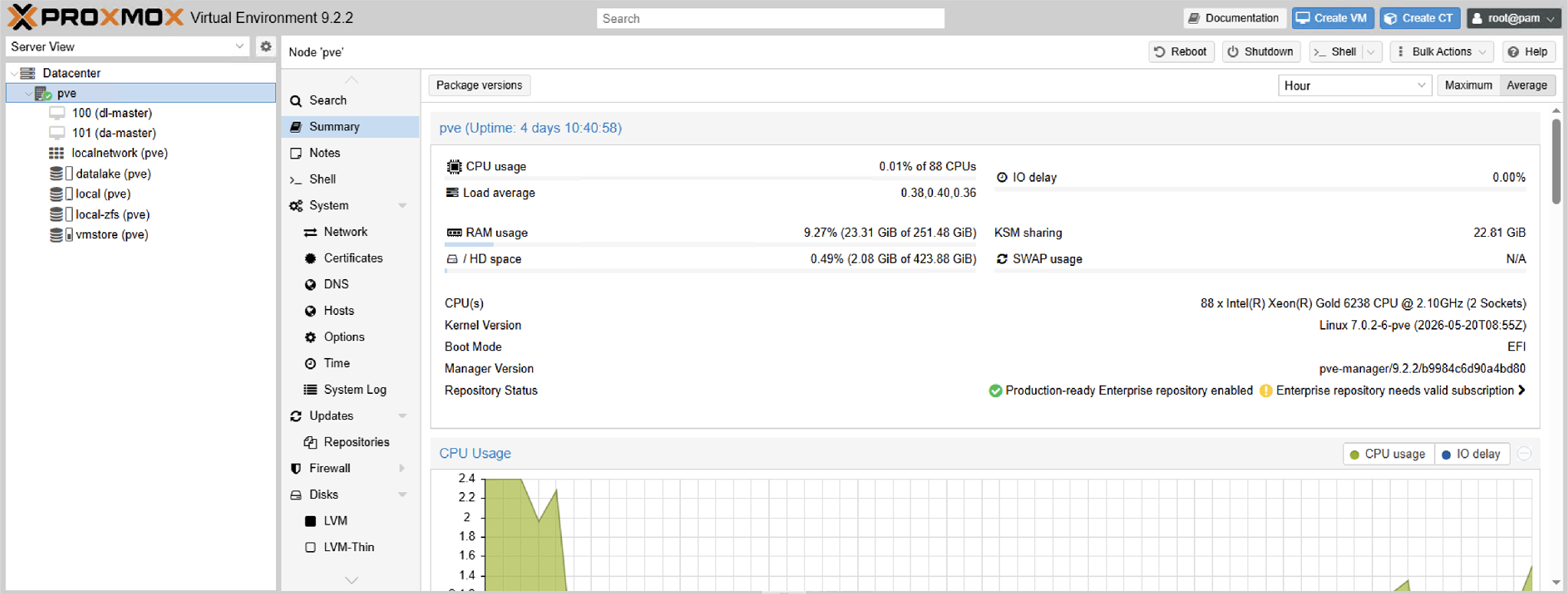
Start and Verify
qm start 100
qm start 101

qm config 100
qm config 101

qm status 100 && qm status 101
root@pve:/var/lib/vz/import# qm config 100
balloon: 0
bios: ovmf
boot: order=scsi0
cores: 20
cpu: host
efidisk0: vmstore:vm-100-disk-0,efitype=4m,pre-enrolled-keys=0,size=1M
machine: q35
memory: 139264
name: dl-master
net0: virtio=BC:24:11:96:E7:6D,bridge=vmbr0
net1: virtio=BC:24:11:78:A0:8C,bridge=vmbr1
numa: 1
onboot: 1
ostype: l26
scsi0: vmstore:vm-100-disk-1,discard=on,iothread=1,size=500000M,ssd=1
scsihw: virtio-scsi-single
serial0: socket
sockets: 2
startup: order=1,up=180

root@pve:/var/lib/vz/import# qm config 101
balloon: 0
bios: ovmf
boot: order=scsi0
cores: 22
cpu: host
efidisk0: vmstore:vm-101-disk-0,efitype=4m,pre-enrolled-keys=0,size=1M
machine: q35
memory: 65536
name: da-master
net0: virtio=BC:24:11:9C:28:17,bridge=vmbr0
net1: virtio=BC:24:11:E0:10:5C,bridge=vmbr1
numa: 1
onboot: 1
ostype: l26
scsi0: vmstore:vm-101-disk-1,discard=on,iothread=1,size=500000M,ssd=1
scsihw: virtio-scsi-single
serial0: socket
sockets: 2
startup: order=2

root@pve:/var/lib/vz/import# qm status 100 && qm status 101
status: running
status: running
root@pve:/var/lib/vz/import#